

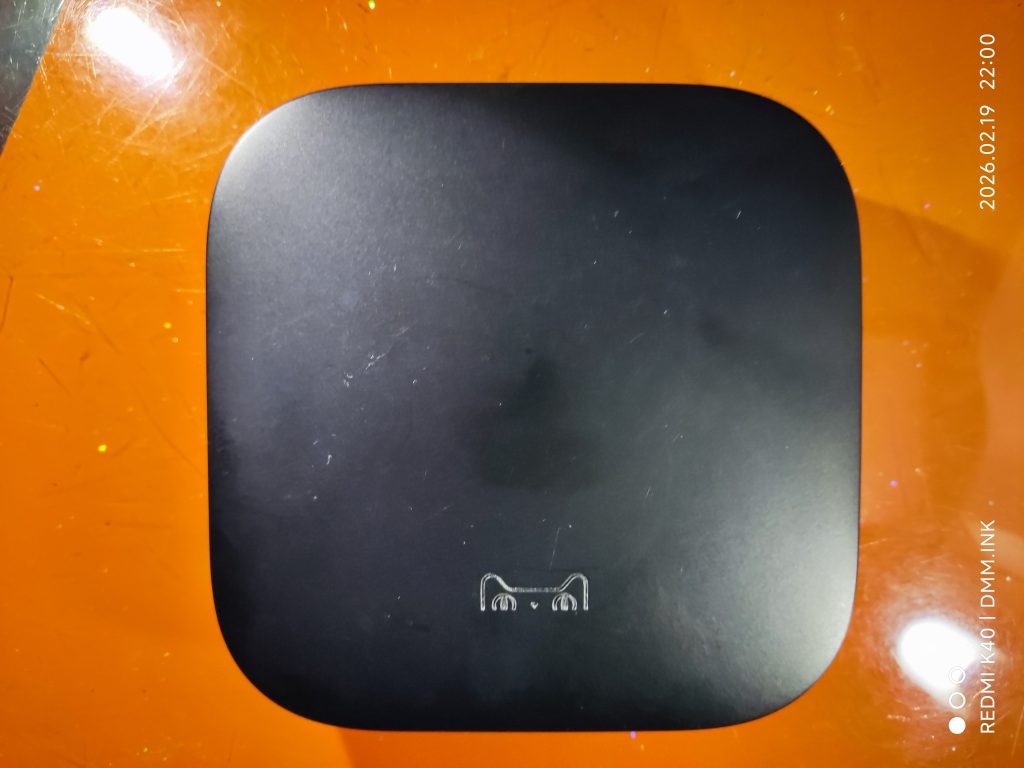
昨天出了天猫魔盒4_荣耀版M20_C的利用开心助手8.0版冻结系统应用方法,比较三年前冻结系统应用的办法简单好多。先说今天这款天猫魔盒M21C这款天猫魔盒的结论,最后也是通过冻结系统应用的办法实现系统相对流畅的。但我为什么要单独说说“天猫魔盒M21C”呢!因为这款天猫魔盒采用的是海思芯片的,而且是从来没见过的海思芯片,属于前无古人后无来者,我就做一下记录。
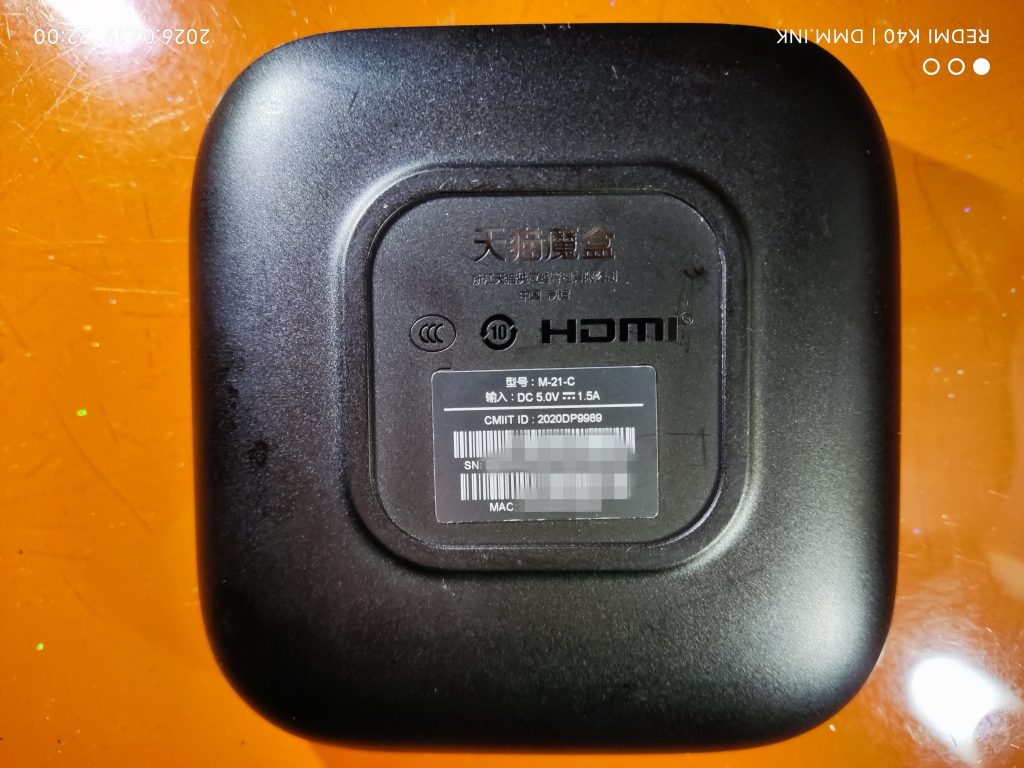
盒子拿到手以后也是先想着备份原系统,但天猫魔盒基本都一样,无论是ADB还是串口,都是普通用户权限的“$”,无法备份原系统,所有分区对普通用户都是只读权限。
但今天这款天猫魔盒采用的是海思芯片,小伙伴知道海思芯片有一个串口工具HiTool,我们可以通过串口HiTool工具上载的形式备份原系统。
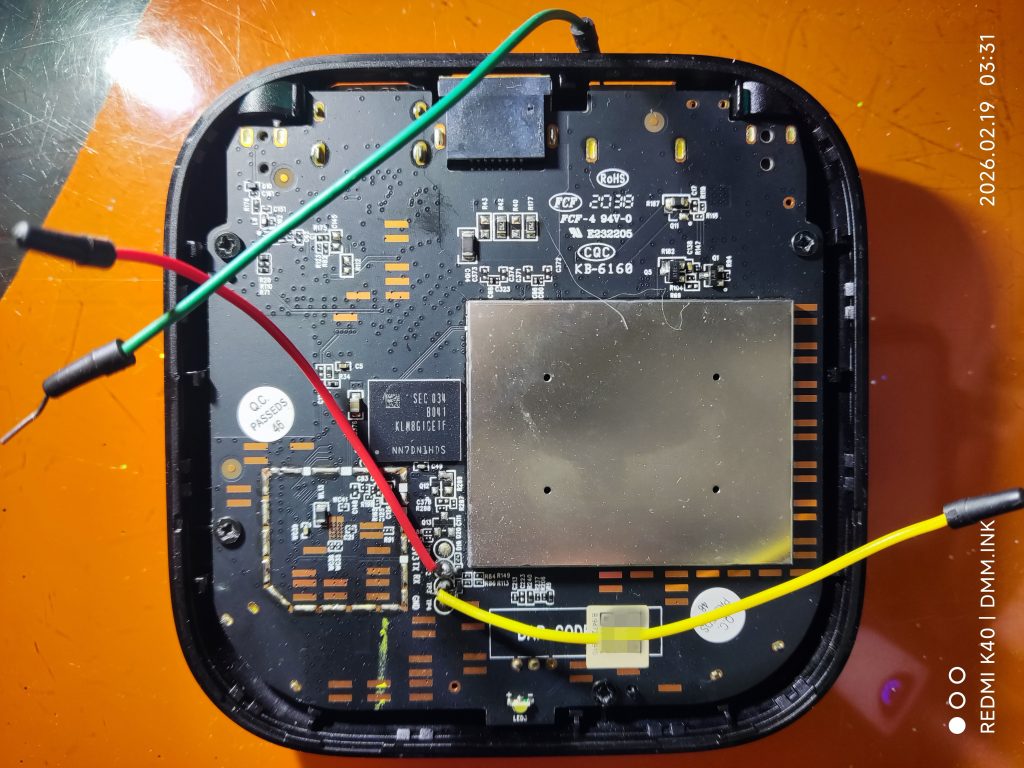
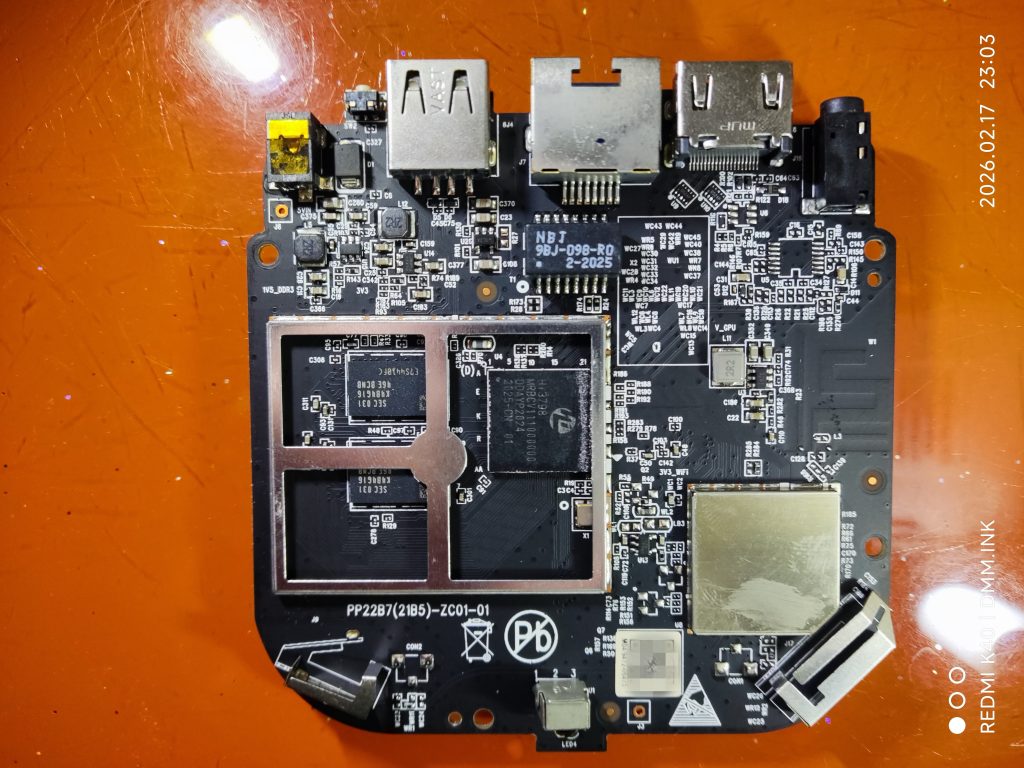
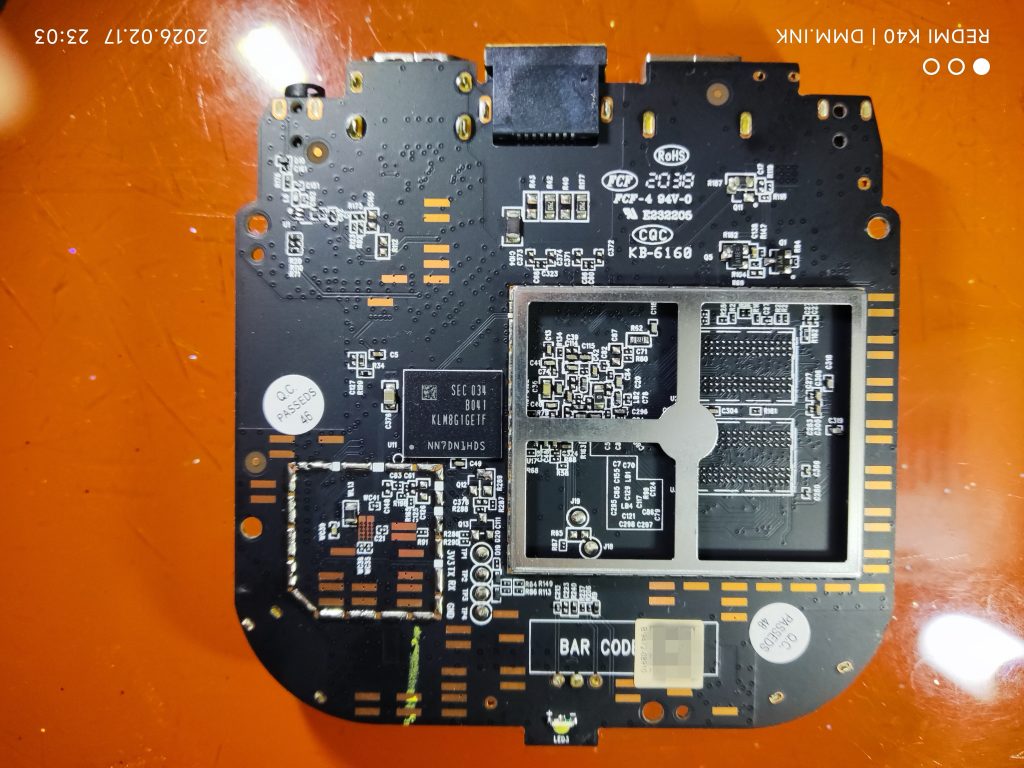
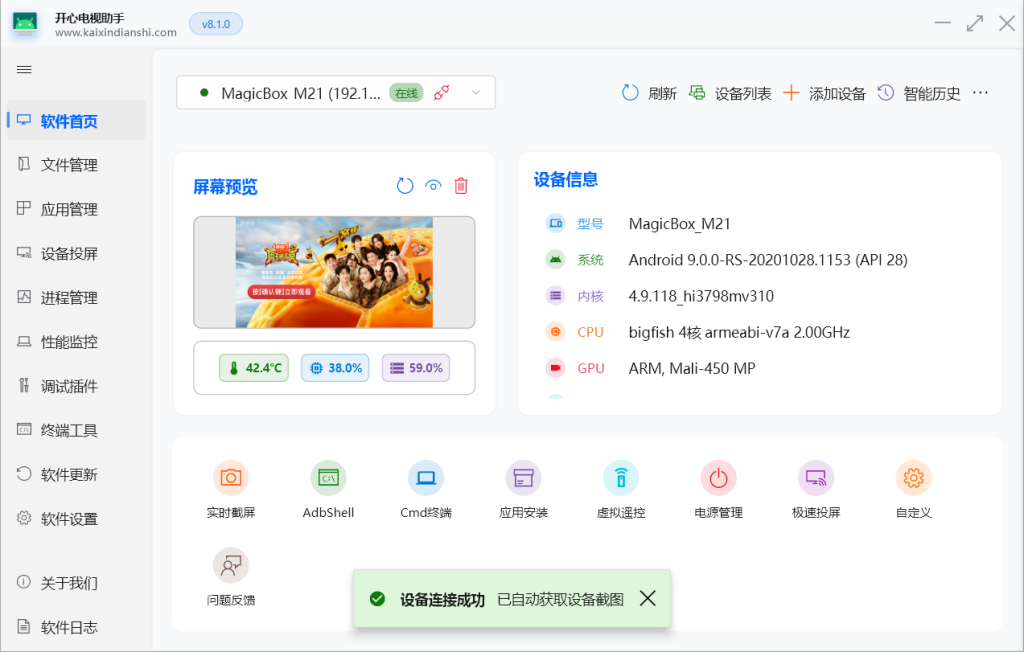
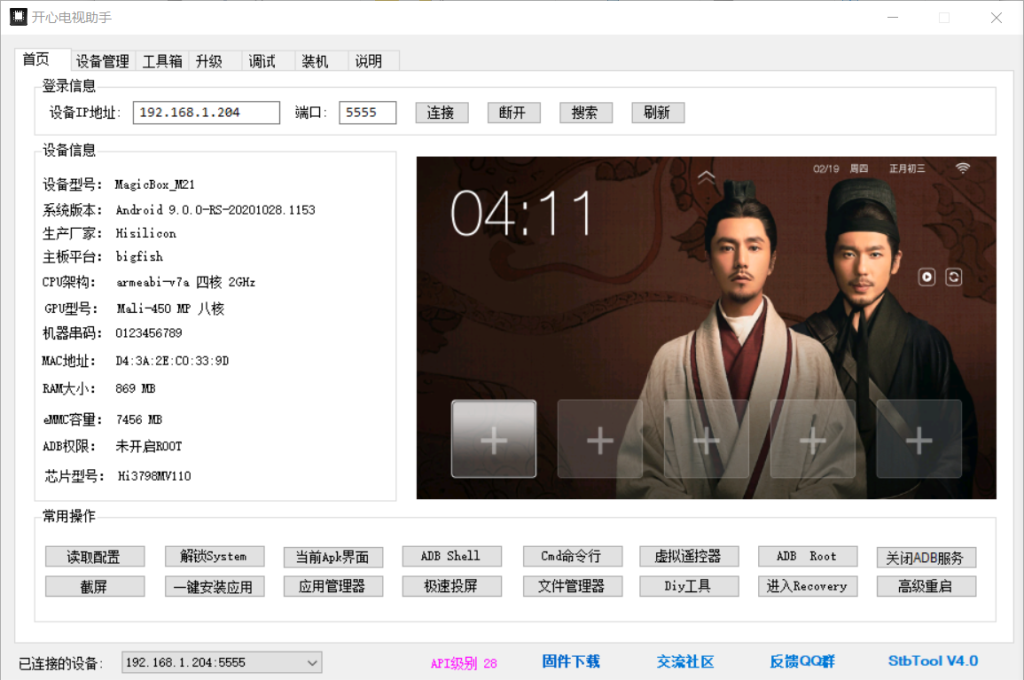
我先说一下今天这款天猫魔盒的具体配置:盒子型号:天猫魔盒M-21-C
CPU芯片为:Hi3798MV110CA
(芯片上丝印是HI3798MRBCV111000000)
(找原来盒子图片Hi3798MV100,老的大的那款芯片,芯片上丝印是HI3798MRQCV101000,新款的小的那款芯片,芯片上的丝印是HI3798MRBCV101000,这说明MRQCV和MRBCV只是封装方式的不同,一个Q一个B,但它们的刷机固件是一样的,说明芯片也是一样的,只是封装方式的不同,这是我理解,也不知道对不对。又找了几个HI3798MV310的图片,芯片上的丝印是HI3798MRBCV31100000,我们简写芯片的型号HI3798这个是开头固定的,MV也是固定的,结尾311,我们就简写为310,海思100芯片的结尾101,我们简写就是100,说明后面的1,我们固定为0,开头的两位数字31,或者海思100芯片的,开头两位数字就是芯片丝印上的数字,所以今天这款天猫魔盒的具体芯片型号就应该是,HI3798MV110)。
1G运存,8G的EMMC存储
原系统安卓版本为9.0
Bootrom start (CA)
Boot Media: eMMC (Default Speed)
Decrypt auxiliary code …OK
lsadc voltage min: 000003FE, max: 000003FF, aver: 000003FE, index: 00000006
Enter boot auxiliary code
Auxiliary code – v1.00
DDR code – V2.1.7 20190326
Build: Jul 28 2020 – 16:17:37
Reg Version: v1.5.0\
Reg Time: 2020/08/20 09:40:02
Reg Name: hi3798m31dmg2_hi3798mv110_DDR3-1866_1GB_16bitx2_4layers.re▒5
HPM: 0x0000011A
SVB done…DDRS
Set cpu freq
Boot auxiliary code success
Decrypting ASC code …OK
Bootrom success
ASC start
Basic ACPU Start Code – 1.0.0
Build: Jun 20 2020 – 17:49:46
CPU:hi3798mv310
System startup
Relocate Boot
Jump to C code
Compressed-boot v1.0.0
Uncompress…………………………………….Ok
System startup
Relocate Boot
Jump to C code
U-Boot 2019.07 (Oct 28 2020 – 12:15:02 +0800)
DRAM: TLB ADDR:0x4000
1 GiB
CPU: Hi3798Mv110 (CA, TEE)
Boot Media: eMMC
DDR Size: 1 GiB (Boot: 1 GiB)
WARNING: Caches not enabled
NAND: Found flash memory controller hifmc100.
no found nand device.
0 MiB
MMC:
MMC controller initialization.
scan edges:2 p2f:5 f2p:7
mix set temp-phase 2
scan elemnts: startp:118 endp:106
Tuning SampleClock. mix set phase:[02/07] ele:[10/17]
MMC/SD Card:
MID: 0x15
Read Block: 512 Bytes
Write Block: 512 Bytes
Chip Size: 7456M Bytes (High Capacity)
Name: “8GTF4R”
Chip Type: MMC
Version: 1.0
Speed: 100000000Hz
Mode: HS400
Voltage: 1.8V
Bus Width: 8bit
Boot Addr: 0 Bytes
hi_common_authenticate_partition 266: sign header is found!
hi_authenticate_partition 309: hi_common_authenticate_partition bootargs OK!
Loading Environment from MMC… OK
Net: up
Warning: up (eth0) using random MAC address – 6e:69:f0:5a:2d:b9
SDK Version: HiSTBAndroidV800R001C00SPC120CP0001_v2020072901
set_serialno: serialno not set
check remote recovery button begin
count=5
mac:D4:3A:2E:C0:33:9D
Burn_LockIdWord_Enable_TrustZone
ID word is locked.
AVB_SLOT_VERIFY_RESULT_OK
Reserve Memory
Start Addr: 0x3FFFE000
Bound Addr: 0x1511E000
Free Addr: 0x3F459000
Alloc Block: Addr Size
0x78E9000 0x16000
0x3FFFB000 0x2000
0x3FFCA000 0x30000
0x3FFC8000 0x1000
0x3FFC5000 0x2000
0x3FFC3000 0x1000
0x3FFC0000 0x2000
0x3FCC2000 0x2FD000
0x3F4D8000 0x7E9000
0x3F4D6000 0x1000
0x3F4CC000 0x9000
0x3F4B5000 0x16000
0x3F49E000 0x16000
0x3F487000 0x16000
0x3F470000 0x16000
0x3F459000 0x16000
Autobooting in 0 seconds, Press Ctrl+C to stop autoboot
MMC read: dev # 0, block # 389120, count 40960 … 40960 blocks read: OK
MMC read: dev # 0, block # 225280, count 65536 … 65536 blocks read: OK
## Booting kernel from Legacy Image at 01ffffc0 …
Image Name: Linux-4.9.118_hi3798mv310
Image Type: ARM Linux Kernel Image (uncompressed)
Data Size: 10045415 Bytes = 9.6 MiB
Load Address: 02000000
Entry Point: 02000000
XIP Kernel Image … OK
ATAGS [0x00000100 – 0x0000084C], 1868Bytes
Starting kernel …
Start TEE with aarch32 kernel…
smc enter: 0xAC3A5695, 0x5F7C78, 0x0, 0x0
Config TZASC
DDR Size: 0x40000000
Verify TEE Image
Load TEE Image with aarch32 Linux
## Starting Secure OS at 0x08220000 …
## Secure OS Image:
Header Size: 0x00000800
Kernel Load Addresss: 0x09808000
Kernel Size: 0x0038D120
Task Number: 00000011
Task Total Size: 0x0023C4FC
Move SecureOS kernel from 0x08220800 to 0x09808000, 0x0038D120 Bytes
Move systab and strtab from 0x08528988 to 0x0B1C9E1C, 0x00084F97 Bytes
Move head from 0x08220000 to 0x0AC00000, 0x00000800 Bytes
Move TAs from 0x085AD920 to 0x0AC00800, 0x0023C4FC Bytes
## Succeed to load SecureOS
BL32 entry: 0x09808000
Start Warm Reseting
INFO: BL31 Early setup
INFO: BL31 checksum successfully
NOTICE: BL31: v1.2(debug):06ef3f2
NOTICE: BL31: Built : 20:32:36, Jul 30 2020
INFO: BL31: Initializing runtime services
INFO: Register runtime service: std_svc
INFO: Register runtime service: tspd_std
INFO: Register runtime service: tspd_fast
INFO: BL31: Initializing BL32
INFO: Entering secure OS
TrustedCore Release Version MediaOS V100R003C00SPC002B219 base iCOS_MAIN_3.3.0_MHA_1.10, Aug 22 2020.02:13:11
Hisilicon TrustedCore v3.3.0.2
[TEEGlobalTask]1/1/1970 0:0:0.753 TrustedCore Execute Successfully and jump to Linux kernel
INFO: BL31: Preparing for EL3 exit to normal world
INFO: Entry point address = 0x2000000
INFO: SPSR = 0x1d3
Uncompressing Linux… done, booting the kernel.
INFO: std_svc_smc_handler
INFO: psci_smc_handler smc_fid:84000000
INFO: psci_smc_handler smc_fid:84000000
INFO: std_svc_smc_handler
INFO: psci_smc_handler smc_fid:84000006
INFO: psci_smc_handler smc_fid:84000006
INFO: std_svc_smc_handler
INFO: psci_smc_handler smc_fid:8400000a
INFO: psci_smc_handler smc_fid:8400000a
INFO: std_svc_smc_handler
INFO: psci_smc_handler smc_fid:8400000a
INFO: psci_smc_handler smc_fid:8400000a
INFO: std_svc_smc_handler
INFO: psci_smc_handler smc_fid:8400000a
INFO: psci_smc_handler smc_fid:8400000a
INFO: std_svc_smc_handler
INFO: psci_smc_handler smc_fid:84000003
INFO: psci_smc_handler smc_fid:84000003
INFO: CPU mpidr 1 : entry point is 101900
INFO: CPU 1 : entry point is 101900
INFO: CPU 1 PSCI Power up…INFO: std_svc_smc_handler
INFO: psci_smc_handler smc_fid:84000003
INFO: psci_smc_handler smc_fid:84000003
INFO: CPU mpidr 2 : entry point is 101900
INFO: CPU 2 : entry point is 101900
INFO: CPU 2 PSCI Power up…INFO: std_svc_smc_handler
INFO: psci_smc_handler smc_fid:84000003
INFO: psci_smc_handler smc_fid:84000003
INFO: CPU mpidr 3 : entry point is 101900
INFO: CPU 3 : entry point is 101900
INFO: CPU 3 PSCI Power up…smc_init_data: sched_setscheduler_nocheck successed!
smc_init_data: sched_setscheduler_nocheck successed!
smc_init_data: sched_setscheduler_nocheck successed!
hi_eth: hieth_mdiobus_read,80:mdio busy
hi_eth: no dev probed!
EXT4-fs (dm-0): couldn’t mount as ext3 due to feature incompatibilities
init: [libfs_mgr]by-name symlink not found for partition: ‘vbmeta’
init: waitid failed: No child processes
ueventd: Unable to read config file ‘/odm/ueventd.rc’: open() failed: No such file or directory
ueventd: Unable to read config file ‘/ueventd.bigfish.rc’: open() failed: No such file or directory
android.hardware.health@2.0-impl: wakealarm_init: timerfd_create failed
audit: rate limit exceeded
audit: rate limit exceeded
console:/ $ init: Could not find service hosting interface android.hardware.keymaster@4.0::IKeymasterDevice/default
audit: rate limit exceeded
init: Could not find service hosting interface android.hardware.audio@4.0::IDevicesFactory/msd
selinux: avc: denied { set } for property=prop.service.bootop.type pid=2110 uid=1003 gid=1003 scontext=u:r:bootanim:s0 tcontext=u:object_r:hisi_prop:s0 tclass=property_service permissive=1
init: Could not find service hosting interface android.hardware.memtrack@1.0::IMemtrack/default
init: Could not find service hosting interface android.hardware.light@2.0::ILight/default
init: Could not find service hosting interface android.hardware.sensors@1.0::ISensors/default
init: Could not find service hosting interface android.hardware.oemlock@1.0::IOemLock/default
init: Could not find service hosting interface android.hardware.gnss@1.1::IGnss/default
init: Could not find service hosting interface android.hardware.gnss@1.0::IGnss/default
audit: rate limit exceeded
selinux: avc: denied { set } for property=runtime.ic.eventime pid=2335 uid=1000 gid=1000 scontext=u:r:system_app:s0 tcontext=u:object_r:default_prop:s0 tclass=property_service permissive=1
audit: rate limit exceeded
init: Could not find service hosting interface android.hardware.wifi.offload@1.0::IOffload/default
audit: rate limit exceeded
console:/ $
1M(fastboot),512K(bootargs),512K(bootargsbak),20M(recovery),2M(deviceinfo),8M(securestore),8M(baseparam),8M(pqparam),2M(dtbo),10M(logo),10M(logobak),20M(fastplay),20M(recoverybak),60M(boot),20M(misc),20M(trustedcore),1300M(system),796M(cache),200M(vendor),(userdata)
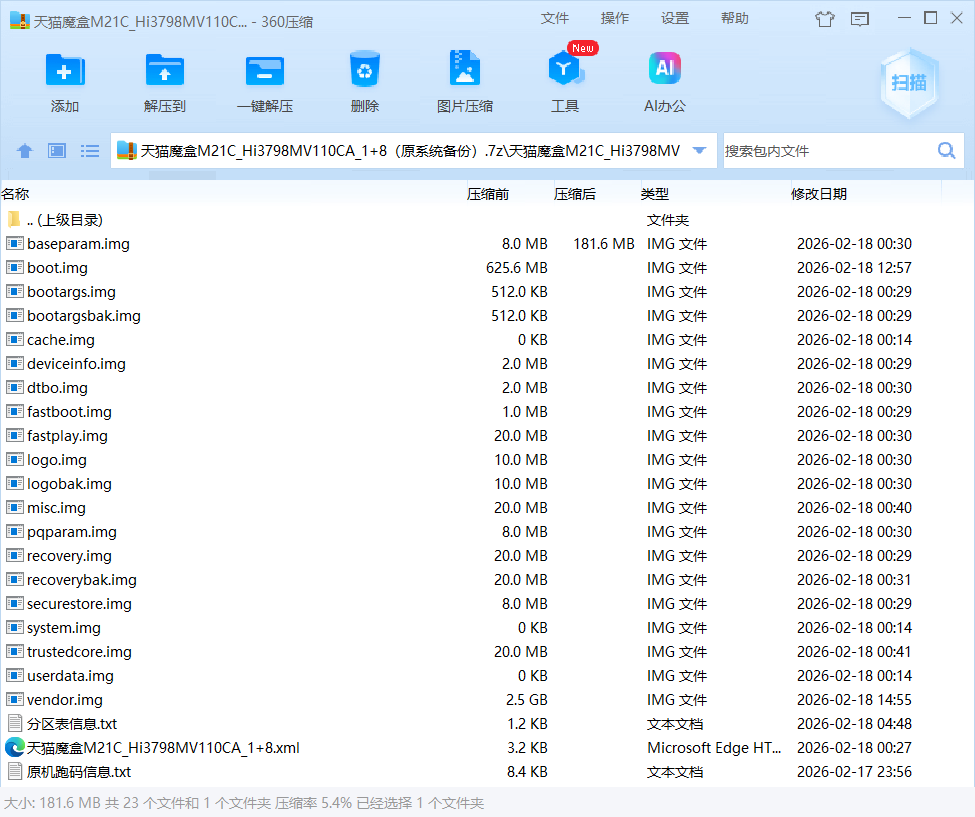
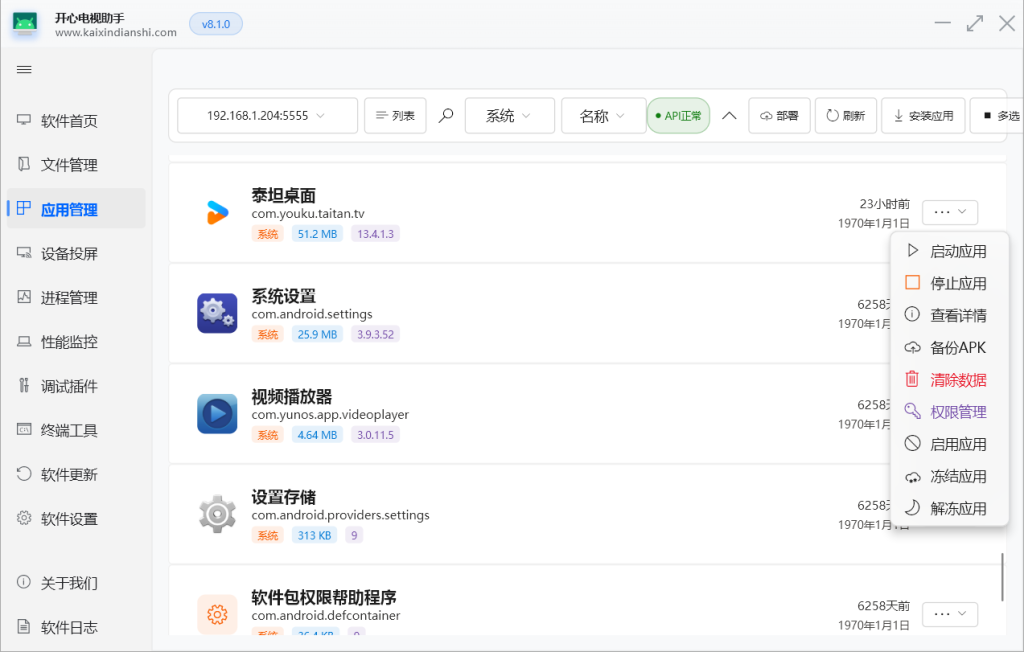
最后还是通过冻结系统应用的办法实现系统相对流畅吧!
以后如果有新电视盒子软件会在Q群和我的博客网站更新,所有公众号发过的固件也都可以在我的博客网站里找到。博客网站地址dmm.ink。


评论(0)
暂无评论